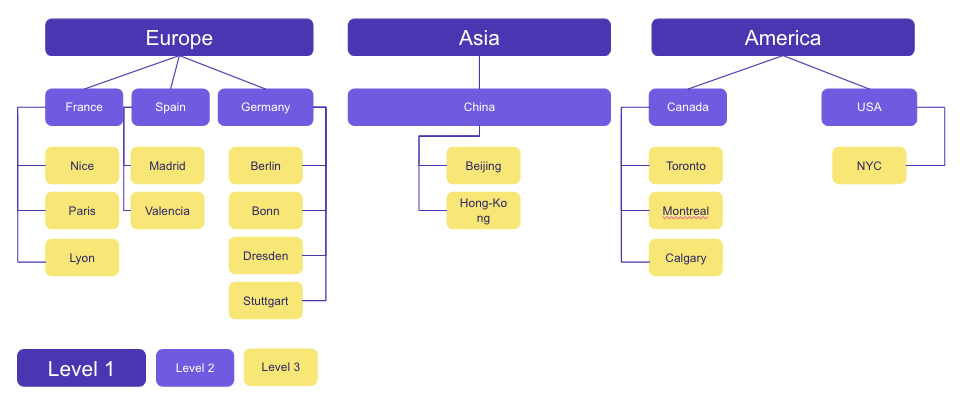
The teams are configured to respond to cohesion matters. It is important to be sure of the team tree you create when launching your United Heroes program.
However, it might be possible that you need to reorganize your team tree, because of:
- An unequal distribution of employees
- An internal reorganization of your departments (new organization/merger, etc.)
It is thus possible to modify your team tree: to do so, you only need to contact your CSM to whom you need to present your new team tree in an Excel document.
☝️ However, a quick and gentle reminder on the consequences that these changes can cause:
- The points scored in the former team will not be transferred to the new one.
- There is a possible loss of users on the program, and, therefore, of engagement.
- It is not possible to modify the level of a team in the tree (for instance moving a team from level 1 to level 2, etc.) The team tree needs to be completely re-created.
⚠️ Therefore, it will be important to plan an internal communication on this matter to:
- Keep your colleagues in touch of this new team tree.
- Guide them on how to log in again and choose their new team (type the activation code again, etc.)
💡 As a reminder: it is possible to create up to 3 team levels.